Pangolin
Pangolin is an open-source, identity-based remote access platform built on WireGuard® that enables secure connectivity to infrastructure anywhere.
Table of contents
Signing In via Pangolin Gateway
If you access Seerr directly and encounter the Pangolin gateway sign-in screen, you can authenticate using your existing Authentik account credentials.
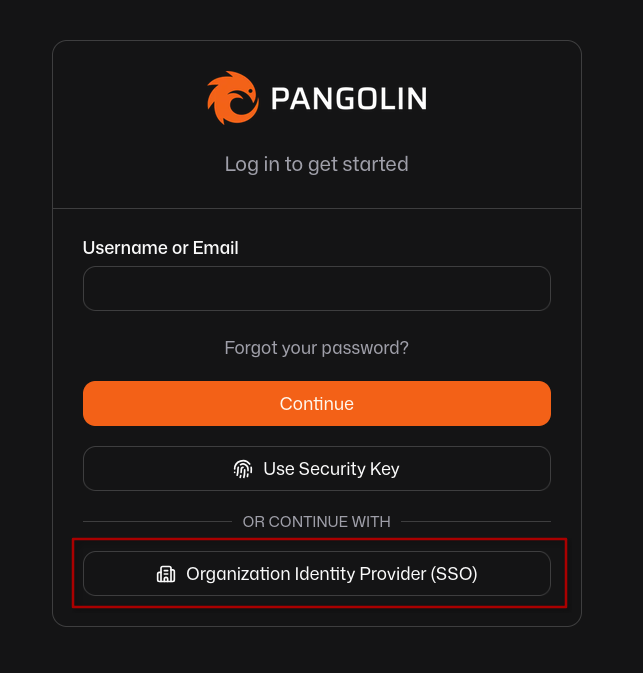
- Select Organization SSO: On the main Pangolin login screen, bypass the local username and password fields and click Organization Identity Provider (SSO) at the bottom.
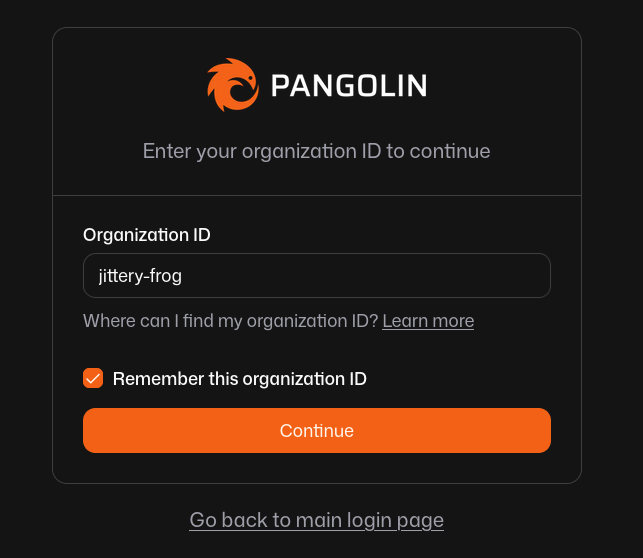
- Enter Organization ID: Type
jittery-froginto the Organization ID field, check Remember this organization ID to save it for future visits, and click Continue.
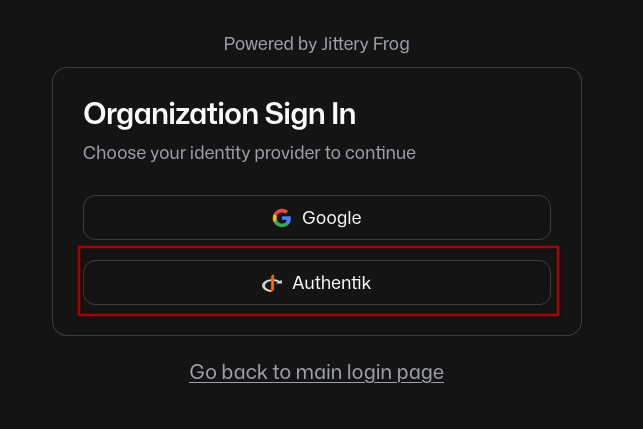
- Choose Authentik: On the Organization Sign In selection screen, click the Authentik button.
- Authenticate & Redirect: If you are not already logged in, enter your Authentik username and password. Once validated, Pangolin will automatically forward you straight to Seerr.